Booking system for organised appointments

Booking system
Organised appointments and a clear view of your day

A booking system in Arabic and English, best shown by a clinic: reception books from the mobile number, each doctor has their working hours, and the owner sees how bookings move. Our team prepares the system and runs it with you.
  • Arabic right to left, and English too
  • Our team with you step by step
The Today screen of the booking system

What wears out the people running appointments?

Points that anyone running clinic appointments knows well.
At reception

  • Appointments spread across notebooks, files and the phone
  • Hard to see which times are open for each doctor
  • A long search for a patient's existing appointment

For the owner

  • No clear picture of what is happening today
  • Cancellations with no recorded reason
  • Hard to see the work of each employee

What the system does

  • Doctors and schedules

    Each doctor’s specialty and working hours in one place.
  • Booking by mobile number

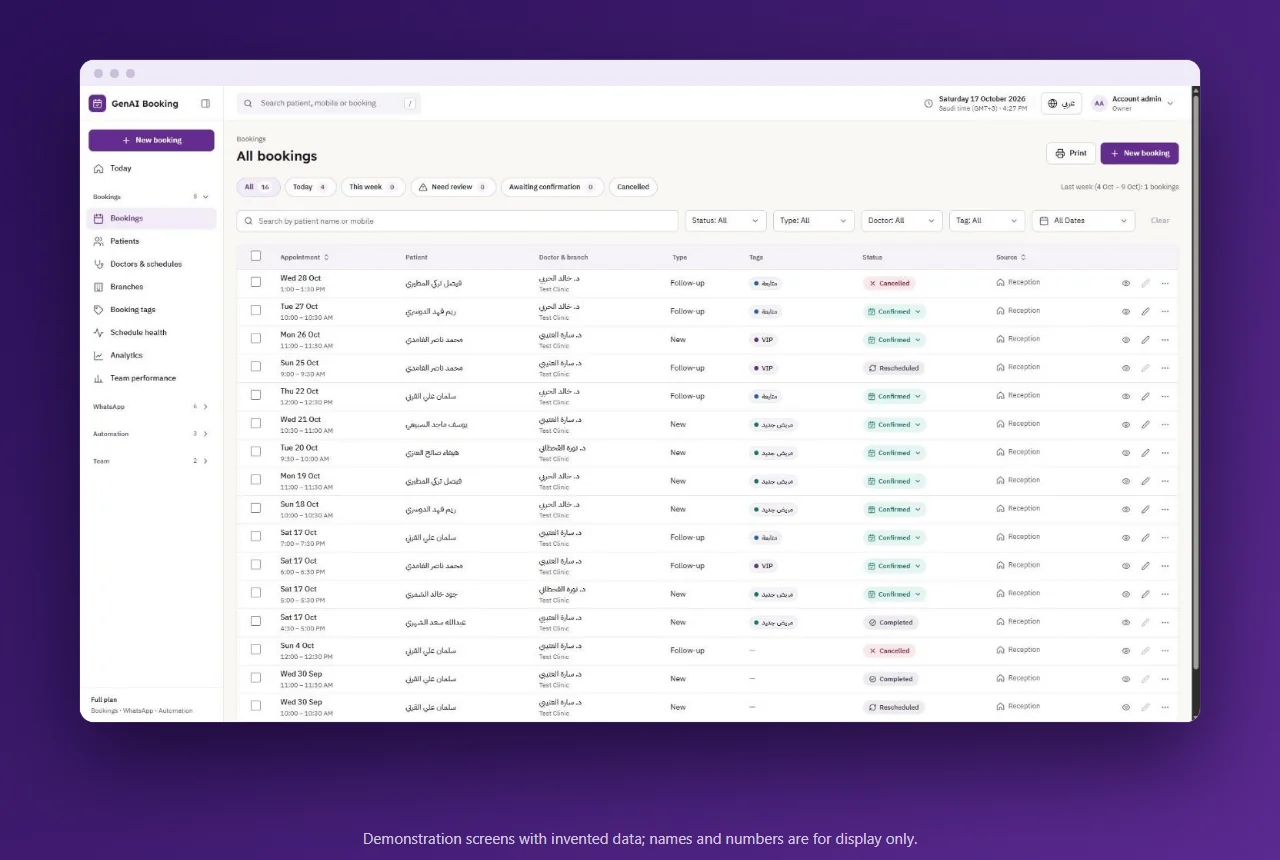
    The receptionist searches by the patient's mobile number, new or returning, picks from the available times and confirms. Appointments are changed or cancelled with the reason recorded, and bookings are searched and filtered.
  • A page for each patient

    Each patient has a page with their details and appointments, so your team finds what it needs in one place.
  • Booking analytics and staff indicators

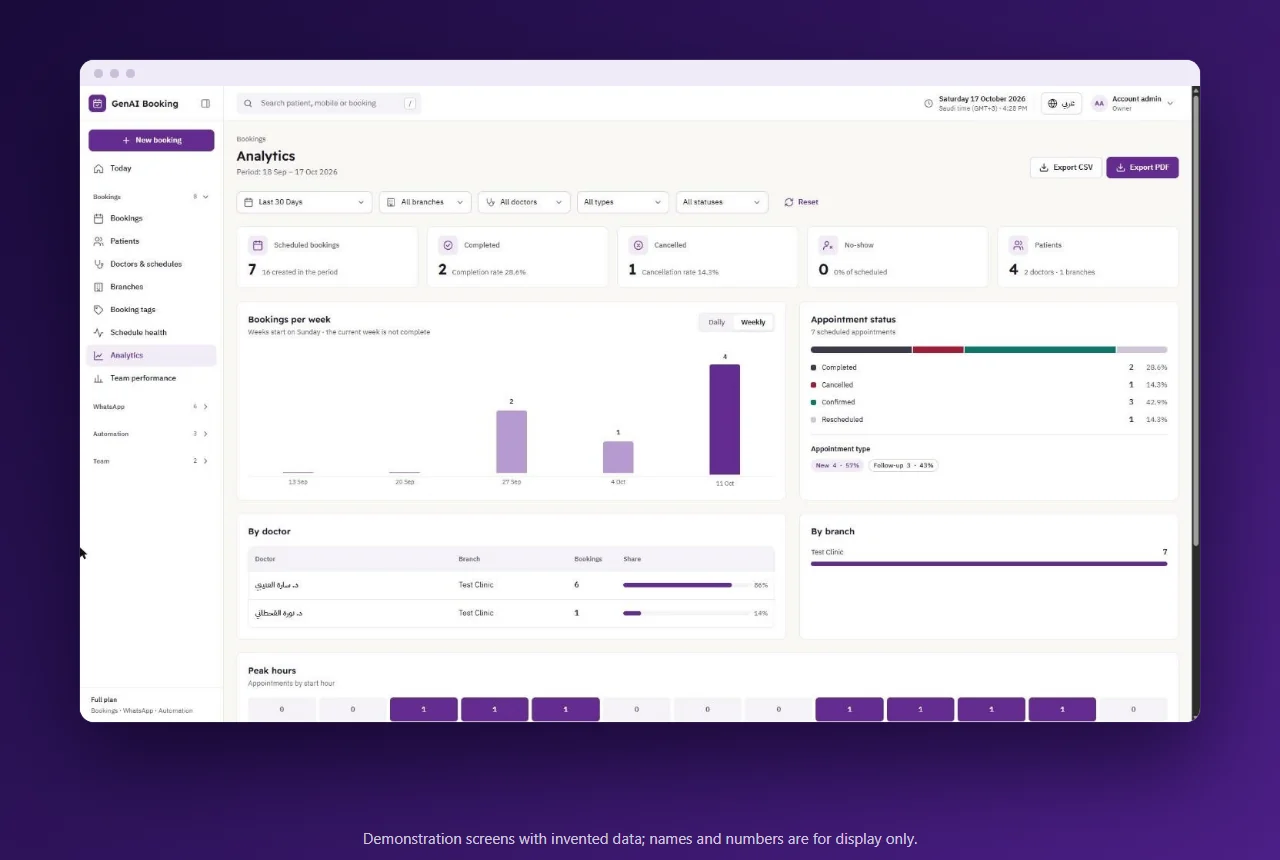
    An analytics page shows the trend of bookings, their statuses and cancellations with filters, alongside staff performance indicators.
Doctors and schedules

What completes the picture

Details that keep daily work in order inside the system.

Doctors and working hours

Each doctor has a specialty, working hours and times closed to appointments, so reception books inside the right time.

Roles and access

The account owner creates roles such as reception and doctor, and sets what each role can reach.

Two-language interface

The interface is in Arabic right to left, and in English too.

How our team prepares it and runs it with you

It starts with a conversation, then our team takes on the preparation.

We learn how you work

A member of our team talks with you to understand your clinic's needs and how you book today.

We prepare the system

Our team prepares the system with your data: doctors, specialties, working hours and roles.

We walk your team through it

We explain the system screens to your team.

We stay with you in operation

Our team follows with you step by step once work starts on the system.

A real example

SAMC: a complete platform for a medical complex

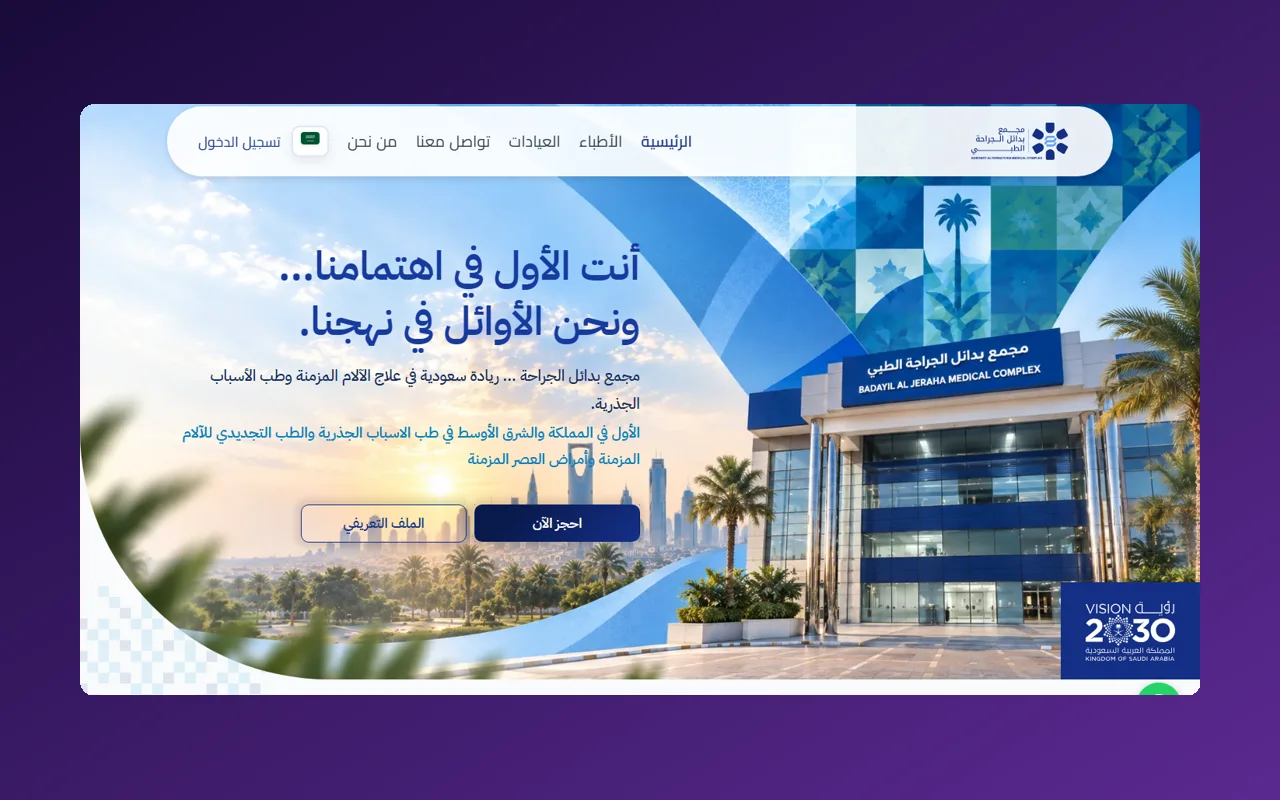
We delivered a complete platform of its own for the SAMC medical complex, covering the website, admin panel, booking and patient app. This project is a custom-built system, and it shows our team's experience with appointment work in medical facilities.
Visit the SAMC website
The SAMC website

Frequently asked questions

How is booking done in the system?
Booking is done by the reception team inside the system, by the customer's mobile number, from the available times.
Does the system include an electronic medical record?
An electronic medical record is not part of the system. The patient's page shows their details and appointments.
Which language does the system use?
The interface is in Arabic right to left, and in English too.
Does it work beyond clinics?
The clinic is the example this system was built around. If your business differs, tell us about it; a system of your own under our complete custom systems may suit you better.
How do I start?
Contact us and tell us about your business, and a member of our team will talk with you.

Let us organise your appointments together

Tell us about your business, and our team prepares the system and runs it with you.