
Articles
A Real Estate Company Website: What It Really Needs, and How to Choose One
A practical guide for real estate companies and offices in Saudi Arabia
Read moreA short guide for company owners on choosing the right way to serve customers on WhatsApp
The WhatsApp Business app is usually enough for a small shop where one or two people answer customers from one phone. When customers grow and a whole team answers, or you need messages linked to your booking or sales system, the better fit is the WhatsApp Business Platform (API) through an approved provider.
Many customers prefer to ask, book and follow their orders on WhatsApp rather than call or email. The question for a company owner is no longer whether to use WhatsApp, but how to use it so that no message is lost and no reply is late.
Many people confuse two things with almost the same name: the WhatsApp Business app you install on a phone, and the WhatsApp Business Platform that connects to the company's systems. Each has its role, and the wrong choice costs you time or customers.
You install the app from the app store and register the company number with it. It gives you a business profile with your address and opening hours, a product catalogue, quick replies, a welcome message and chat labels.
The app suits you if:
Its limits show as you grow: the number is tied to a phone and a limited number of devices, there are no clear reports on reply speed, and a large team on the same number struggles not to overlap.
The platform is not an app you install but a Meta service connected to your company's systems, usually through an approved provider. It lets:
An important platform rule: when a customer writes to you, a 24-hour "customer service window" opens from their last message, and inside it you can reply freely. Outside it, you can only send a template message approved by Meta in advance. So templates are planned from the start: booking confirmation, reminder, order follow-up. Meta explains these rules and their costs in its documentation, and they change from time to time, so check them before you build your plan.
Ask yourself:
If most answers are "no", start with the app. If they are "yes", the platform is the right step. You can start with the app and move later, but plan the move early, because a number registered on the platform needs setting up.
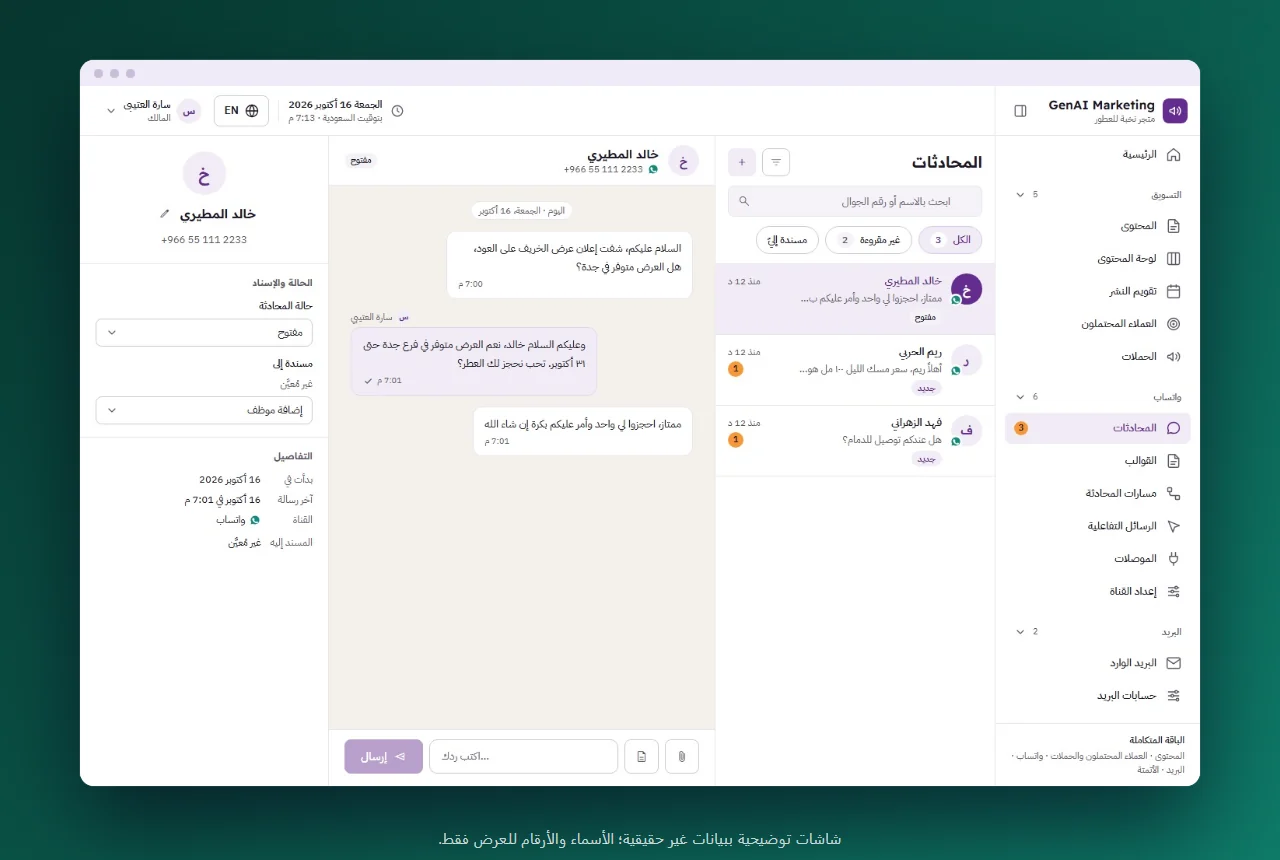
Our team sets up the WhatsApp platform for you and runs it with you: we connect your company number to Meta's platform, write the templates with you in Arabic and English and send them for Meta's approval, and your team works on conversations from a shared screen. Service details are on the WhatsApp API page, and if you are just starting, also read WhatsApp for customer service: where to start.
What we do not do: we do not send bulk messages to numbers that did not agree to be contacted, and we do not promise a result or a number of customers.
If you are unsure between the app and the platform, contact us and we will help you choose what fits the size of your business.
The regular app is run from a phone and suits manual replies to a few conversations. The API connects to the company's systems and allows a whole team, automatic messages and automated replies.
Usually yes; most companies reach the platform through a provider that connects it to their systems and handles the setup.
You can reply freely within 24 hours of the customer's last message; after that you need a message template approved by Meta in advance.
Usually yes. Through a provider that supports it, Meta lets you keep using the same number in the app and on the platform together. If the number is deleted from the app and registered directly on the platform, it cannot go back to the app. Ask the provider which way before you move.
A practical guide for real estate companies and offices in Saudi Arabia
Read more
A practical guide for business owners in Saudi Arabia before signing with a marketing company
Read more